Designer: your style and your design brief
- Role
- Designer
- Outcome
- Your design brief
- Time box
- 18 minutes
The Designer asks about your taste and writes a prompt that fits only you. With it, you design your look in Stitch, Google's AI design tool. Then the Designer turns your design into your design brief, design/brief.md, for the Developer. Your site does not change in this Block.
The Designer asks about your taste and turns your answers and your style's ready-made design into your design brief, design/brief.md, for the Developer. Today there is no time for Stitch, Google's AI design tool: at home, the Designer writes you a Stitch prompt if you ask for one. Your site does not change in this Block.
Get your Stitch prompt 6:00 min
The Designer asks you four questions in the chat, one at a time, and writes your personal Stitch prompt from your answers. Pick your answers first, then start the Designer at the end of this step, under Now start the Designer.
Pick your answers
First your style: one of these five, or two mixed. Each phone shows the sample person, Ada Example.
-
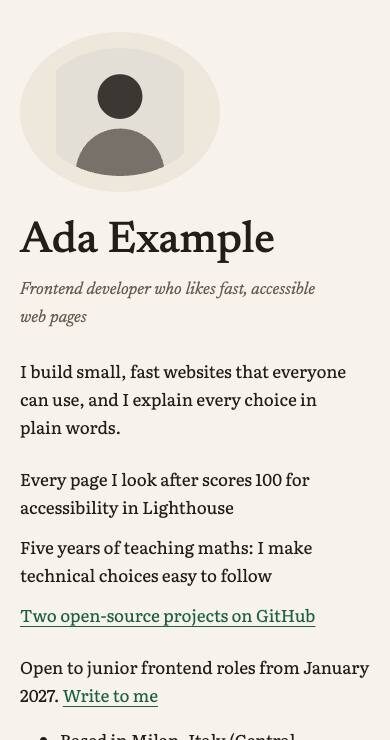
Classic
Serif headings, calm colours, a narrow column, hairlines.
-
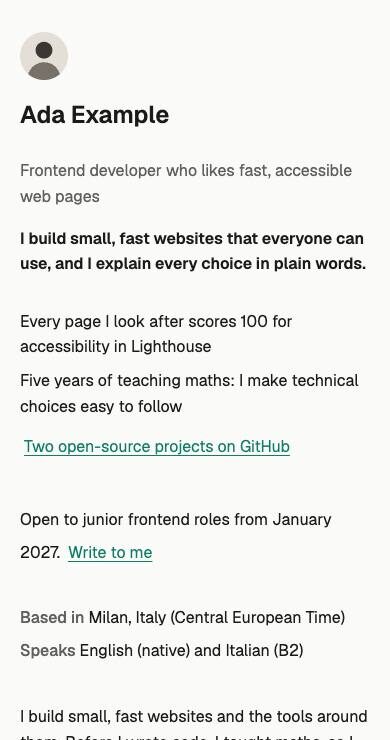
Modern
A clean sans, one accent, lists not boxes, lots of space.
-
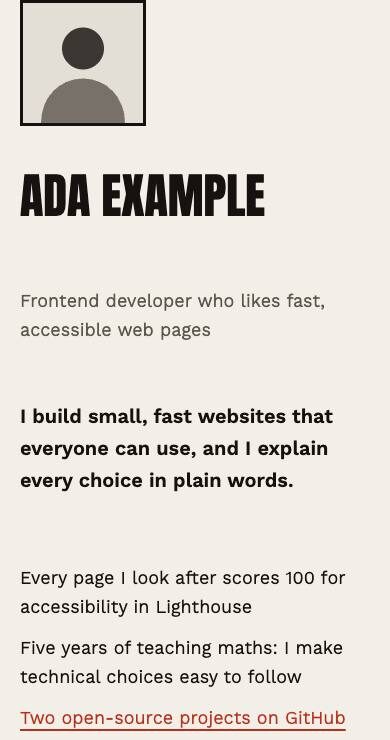
Bold
A huge name, oversized type, colour blocks.
-
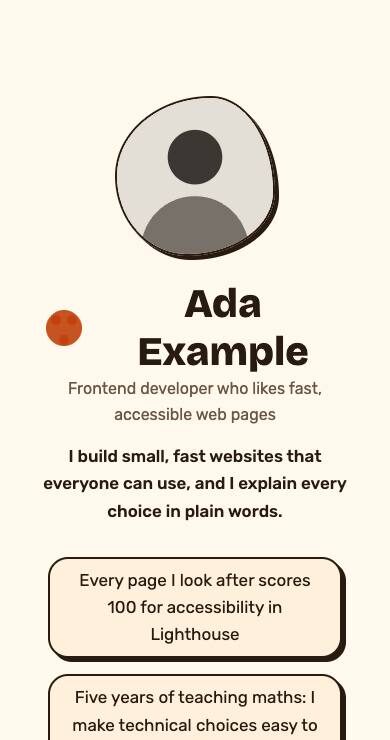
Playful
Rounded, bright, stickers and badges.
-
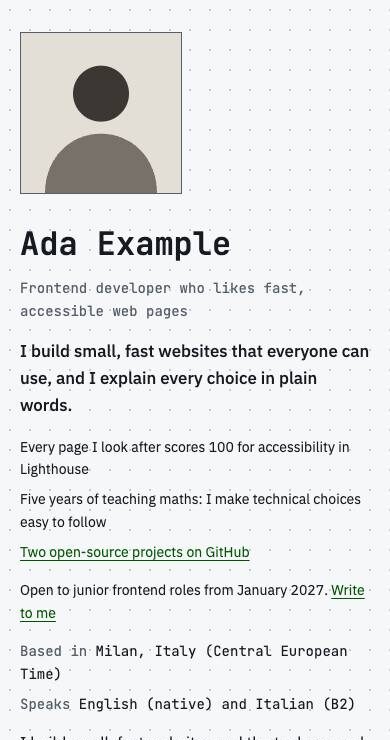
Technical
Monospace details, a dot grid, code-editor metadata.
Two styles mixed? Where they disagree, the first one wins. Then pick your other three answers:
- Three words for how your site should feel, for example warm, precise, curious. Avoid words every site uses, such as modern or clean.
- A colour you love, or a website you love. For a website, give its address. Antigravity asks before it opens the site in Chrome: allow it.
- Something that is yours: a hobby, a place or an object. It becomes one small detail on your site, such as an icon, a pattern or a frame.
Now start the Designer
- In Antigravity IDE, start a new chat: click the + at the top right of the agent panel, not the one in the chat box.
- Check the model name at the bottom of the chat box: it says Gemini 3.8 Flash. If not, click it and pick Gemini 3.8 Flash.
- Type:
Agent chat
Start the Designer step.Answer its questions with the answers you picked, each in a few words, or say skip.
You know it worked when the Designer sends your Stitch prompt in a block of its own.
After your last answer, the Designer writes your brief from your answers and your style's ready-made design.
Design it in Stitch 6:00 min
Give Stitch about five minutes. Read what to do there first, then open Stitch with the Open Stitch button below.
- Sign in with your personal Google account.
- Choose a design for the Web, not for an app.
- Switch on Speed, Stitch's fast mode, in the prompt box.
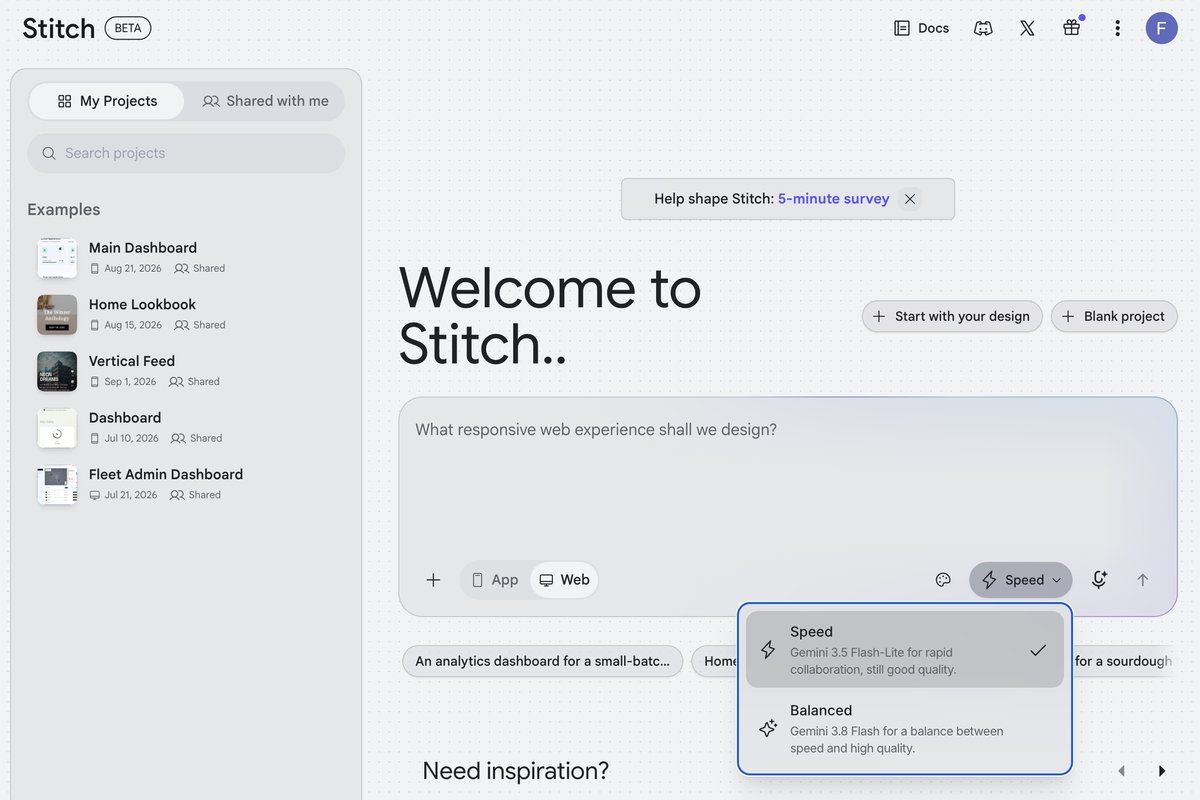
The prompt box: Web selected, not App, and in the menu next to it Speed with its tick. The box then asks for a web experience. - If Stitch shows you a design system or a template to pick, choose none.
- Copy the Designer's whole prompt from the agent chat, with its copy button if it has one. Paste it into Stitch's prompt box.
- Send it as it is. If Stitch offers to enhance or improve your prompt, say no.
After about a minute, Stitch shows your design. The photo in it is a stand-in, not yours: your own photo goes in when the Developer builds your site. Make the design yours, one change at a time:
- One change per message, in plain words, for example "More space between the sections".
- Colours and corners: change them in Edit Theme, not with a prompt. Keep the fonts your prompt names: your site can use only the fonts that come with your repo.
- Looks like your neighbour's design? Ask Stitch for three variants, set the range to Creative, and write "Make it more" with your style, for example "Make it more Playful".
- Paste no website address into Stitch: it would copy that site's design.
When you like your design, stop, and leave Stitch open in its tab.
Ready? Open Stitch in a new tab:
Bring your design back 6:00 min
Go back to the Designer's chat, the same one, not a new chat: the Designer is not done until it has written your brief. Give it your design in one of two ways:
- In Stitch, click your design once, so a frame shows around it. Then click Export at the top right.
- Under Format, pick Code to Clipboard and click Copy. That copies the design's HTML.
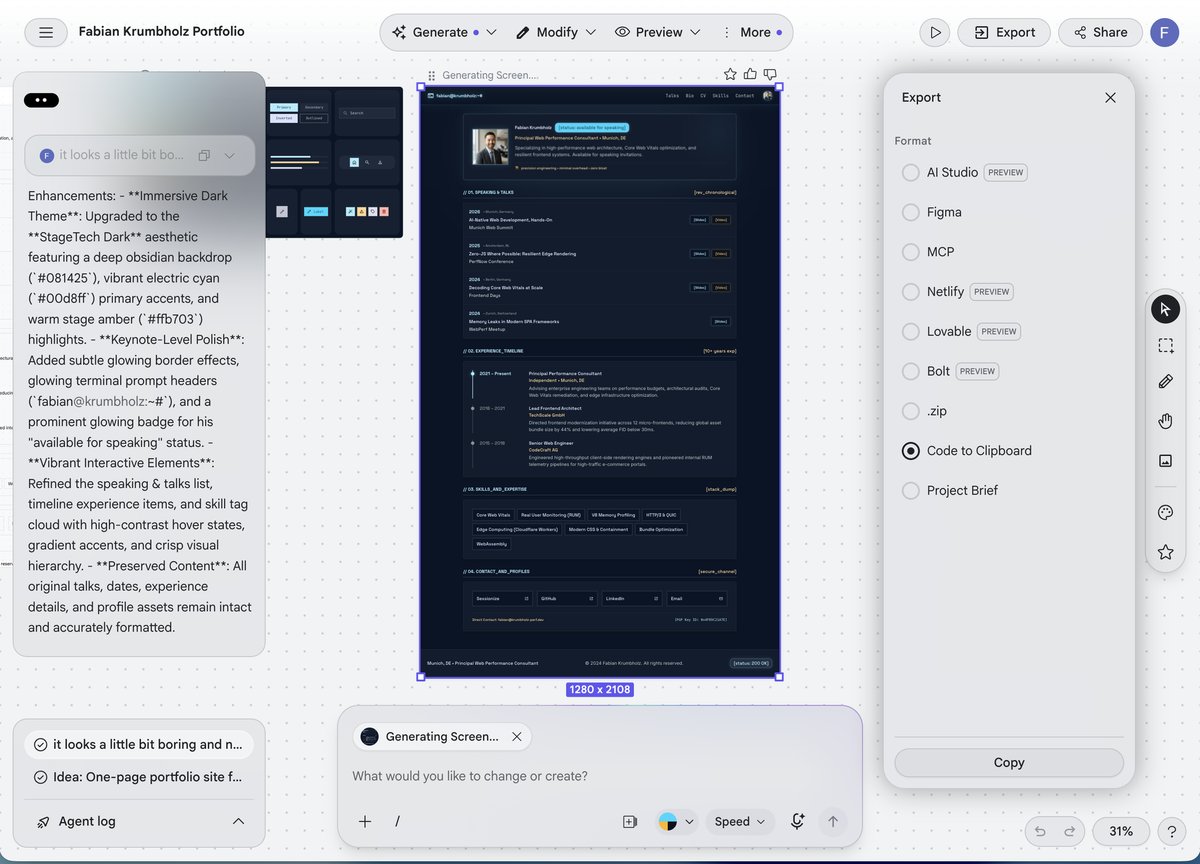
The Export panel: Code to Clipboard, then Copy at the bottom. Not Project Brief. - Paste it into the Designer's chat and send it.
In Stitch, zoom out until your whole design fits on the screen, then take a screenshot:
Press Cmd+Shift+4 and drag over the design. The picture lands on your Desktop. Drag it from there into the Designer's chat and send it.
Press Win+Shift+S and drag over the design. Paste the picture into the Designer's chat with Ctrl+V and send it.
Press Print Screen and select the design. On Ubuntu the picture lands in Pictures → Screenshots. Drag it from there into the Designer's chat and send it.
Read and accept your brief 4:00 min
Read and accept the brief
The Designer writes your brief and checks it until it prints:
What the brief check prints
design/brief.md is ready for the Developer: every section is there and every colour pair is readable.Then it explains the brief in plain words, with every change it made to your design and why.
If something goes wrong
Ask your agent first. In a fresh chat, type the question below: it reads your repo and tells you what is done and what comes next. Got an error message? Paste it into the chat.
Agent chat
Where am I?The Designer asks two questions at once, or more than five
Fix: answer the first one and say "One question at a time, please." If it keeps going, say "Write my Stitch prompt with what you have."
The agent cannot open the website you love
Fix: tell it in one sentence what you like about that site, for example "The big serif headings and the warm colours."
Stitch rewrote your prompt, and your design looks like everyone else's
Fix: start a new design in Stitch. Copy the Designer's prompt from its chat again, paste it, and send it as it is: say no when Stitch offers to enhance or improve it.
The pasted HTML is very long and the chat seems stuck
Fix: wait a little: long HTML takes a moment to read. Nothing after a minute? Click the round button with the red square in the chat box, and send a screenshot of your design instead.
The brief check keeps saying a colour is hard to read
Fix: the Designer fixes it by making one colour lighter or darker. If it goes in circles, stop it and say which colour to keep, for example "Keep the accent colour and make the background lighter."
Fell behind?
The Designer Block's time is up and you are not done? Run its checkpoint. It brings your repo to where the room is, and keeps your own content file, design brief and spec.
- Stop the agent in your old chat if it is still working: click the round button with the red square in the chat box.
- In Antigravity IDE, open a terminal with the menu Terminal → New Terminal. Paste this command (Cmd+V on a Mac, Ctrl+V on Windows, Ctrl+Shift+V on Linux) and press Enter:
Terminal · same on Mac, Windows and Linux
node tools/checkpoint.mjs designerUse the Block that has just ended, not the one that starts now.
It lists what it kept and what it changed, and ends with what to do next. Nothing to change means you were already there. Two Blocks behind? This one checkpoint includes the earlier Blocks.
Or start a fresh chat and let the agent run it:
Agent chat
Catch me up: the room just finished the Designer block.No design brief of your own yet? The checkpoint adds the template's brief, so the Developer can still build.